Can WooCommerce export orders with shipping addresses?
Not by itself. WooCommerce's Analytics help says the Download link on a report gives "a copy of the data contained in the report table," and the Orders report's table has columns such as date, order number, status, customer, products and net sales, with no address. WooCommerce's own code for that table lists the same columns.
The free Advanced Order Export For WooCommerce plugin does it. Its page on WordPress.org says to install and activate it and then visit WooCommerce, Export Orders, and that exports include customer details, both shipping and billing. Set the Date Range, choose CSV as the format, because the plugin's default is an Excel .xlsx file, and export. PigeonTrail reads the plugin's default columns, including First Name (Shipping), Postcode (Shipping) and Email (Billing), without any changes.
How do I bring WooCommerce orders into PigeonTrail?
Drop the file on the Orders page in PigeonTrail, as it came from WooCommerce. PigeonTrail recognizes the file by its column names, so you don't rename or delete anything first, and when an order has one row per item, the rows are folded back into one order. Each address is checked against USPS data before anything prints, and an address USPS can't match is flagged so you can fix it with the buyer. PigeonTrail mails only to addresses in the United States.
The plugin repeats an order on one row per product, and PigeonTrail folds those rows back into one order. When the file carries each order's value, orders of $50 or more go to a separate Packages list instead of your letters, with a file you upload to Pirate Ship to buy Ground Advantage labels. You can change that $50 line in Settings, or turn it off.
How do I print tracked envelopes?
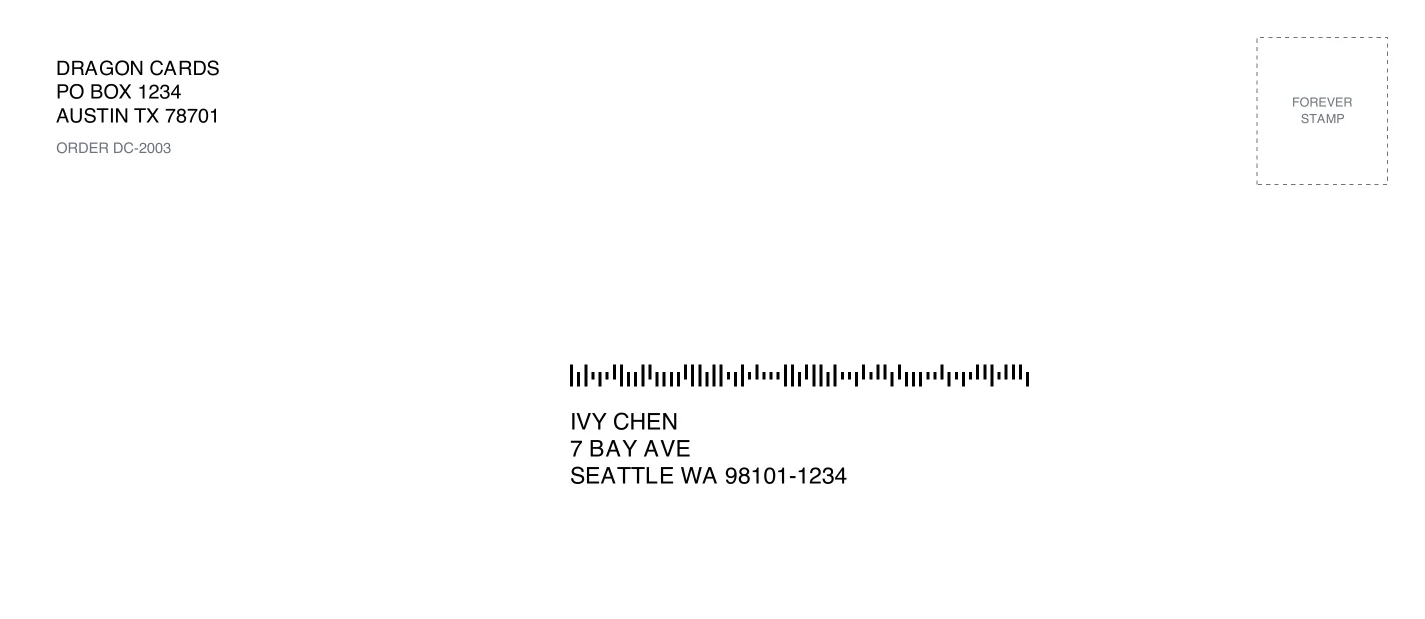
Pick the orders, choose what to print on and print from your own printer. PigeonTrail prints #10, #9, #6 3/4, A7 and 6 x 9 envelopes, Avery 5163 address sheets, 4 x 2 and 4 x 6 thermal labels, and a window slip that folds into a #10 window envelope. Each one carries the buyer's address and a USPS Intelligent Mail barcode in the places USPS's machines read them, with your return address and, if you like, your logo. You add a Forever stamp, which is $0.82 for a 1 ounce letter, and drop the letters in the mail.
The barcode only gets scanned when the letter goes through USPS's sorting machines, so keep it flat and flexible. Our letter checker tells you whether a mailer counts as a letter, whether it is machinable and how many stamps it needs.
What does my buyer see?
Every letter gets a tracking page with your shop's logo and colors, a map of the route so far and the day USPS expects it to arrive. The plugin's export carries the billing email address, so we email your buyer the tracking link at the first USPS scan. If you're on Pro, the emails come from your shop's name, and your buyer hears from you when the letter is mailed, when it's almost there and when USPS marks it delivered.
A letter's scans come from USPS's sorting plants, and its delivered event is USPS's estimate from the carrier's route rather than a scan at the mailbox. Our guide to what each USPS scan means explains what your buyer will see.
How do I add the tracking link to a WooCommerce order?
If your store uses WooCommerce's Shipment Tracking extension, add the letter's tracking link as a custom provider. Its documentation says that when your carrier isn't listed, you select Custom Provider and enter the provider name and the complete tracking URL. It also says saving tracking details sends no email by itself, and that changing the order to Completed sends the Completed Order email with the tracking included. Each letter's page in PigeonTrail has its tracking link ready to copy.
Are there tracking rules for WooCommerce orders?
Only your own. WooCommerce is your store, so no marketplace sets a tracking requirement the way Amazon, eBay or Etsy do, and you decide which orders go as stamped letters. PigeonTrail moves orders of $50 or more to a Pirate Ship package list by default, and you can change that line in Settings or turn it off. A stamped letter is the cheapest way to mail a flat, light order, and our letter checker shows whether yours qualifies.
Questions
Does WooCommerce's own export include addresses?
No. The Analytics Orders download copies the report table, which has no address columns, so use the Advanced Order Export For WooCommerce plugin.
Can PigeonTrail read the plugin's .xlsx file?
No. Choose CSV as the format in the plugin before you export, and PigeonTrail reads the file as it comes.
Does PigeonTrail email WooCommerce buyers?
Yes. The plugin's export includes the billing email address, so your buyer gets the tracking link at the first USPS scan, and on Pro three emails from your shop's name.
Sources
- WooCommerce, "WooCommerce Analytics", modified October 9, 2026, read October 21, 2026: woocommerce.com
- WooCommerce, "Orders Report", read October 21, 2026: woocommerce.com, and the report table's source, client/analytics/report/orders/table.js: github.com/woocommerce/woocommerce
- WordPress.org, "Advanced Order Export For WooCommerce", version 4.1.4, updated October 19, 2026: wordpress.org/plugins/woo-order-export-lite
- AlgolPlus, Advanced Order Export documentation, "Format", May 4, 2026: docs.algolplus.com
- WooCommerce, "Shipment Tracking", modified July 10, 2026: woocommerce.com