How do I connect BigCommerce to PigeonTrail?
You make a store level API account for PigeonTrail in your BigCommerce control panel and paste two things from it into PigeonTrail. Sign in as the store owner, open Settings and choose Store level API accounts, which sits under API, then choose Create API account and name it PigeonTrail. Set Orders to modify and Information and settings to read only, leave the other scopes at none, and save it.
BigCommerce then shows the access token and the API path, which looks like https://api.bigcommerce.com/stores/abc123/v3/ with your own store hash in it. It shows the token only once, so copy both right away, paste them on the Connections page in PigeonTrail and choose Connect BigCommerce. We check them with BigCommerce before we save anything, and we keep the token encrypted.
If you disconnect, PigeonTrail forgets the token. BigCommerce has no other way to revoke a store level token, so to turn it off for good you delete the PigeonTrail API account under Settings, Store level API accounts.
How do BigCommerce orders get into PigeonTrail?
Press Import from BigCommerce on the Orders tab of the Send page, and PigeonTrail brings in the orders that are Awaiting Fulfillment in your store, each one once. It uses the order's shipping address and leaves out digital orders, archived orders and orders that ship to more than one address, which would need more than one letter. Each address is checked against USPS data before anything prints, and an address USPS can't match is flagged so you can fix it with the buyer. PigeonTrail mails only to addresses in the United States.
You can also let new orders come in by themselves. On the Connections page, tick Automatically pull new orders every 15 minutes on the BigCommerce card, and PigeonTrail checks your store every 15 minutes, so the orders are waiting when you sit down to print.
When the buyer chose a tracked shipping method such as Priority Mail, Ground Advantage, Media Mail, UPS or FedEx, the order goes straight to a separate Packages list instead of your letters. Orders of $50 or more go there too, with a file you upload to Pirate Ship to buy Ground Advantage labels, and you can change that $50 line in Settings or turn it off. When Pirate Ship's shipments file comes back, each package is marked shipped in BigCommerce with its carrier and its real tracking number.
How do I print tracked envelopes?
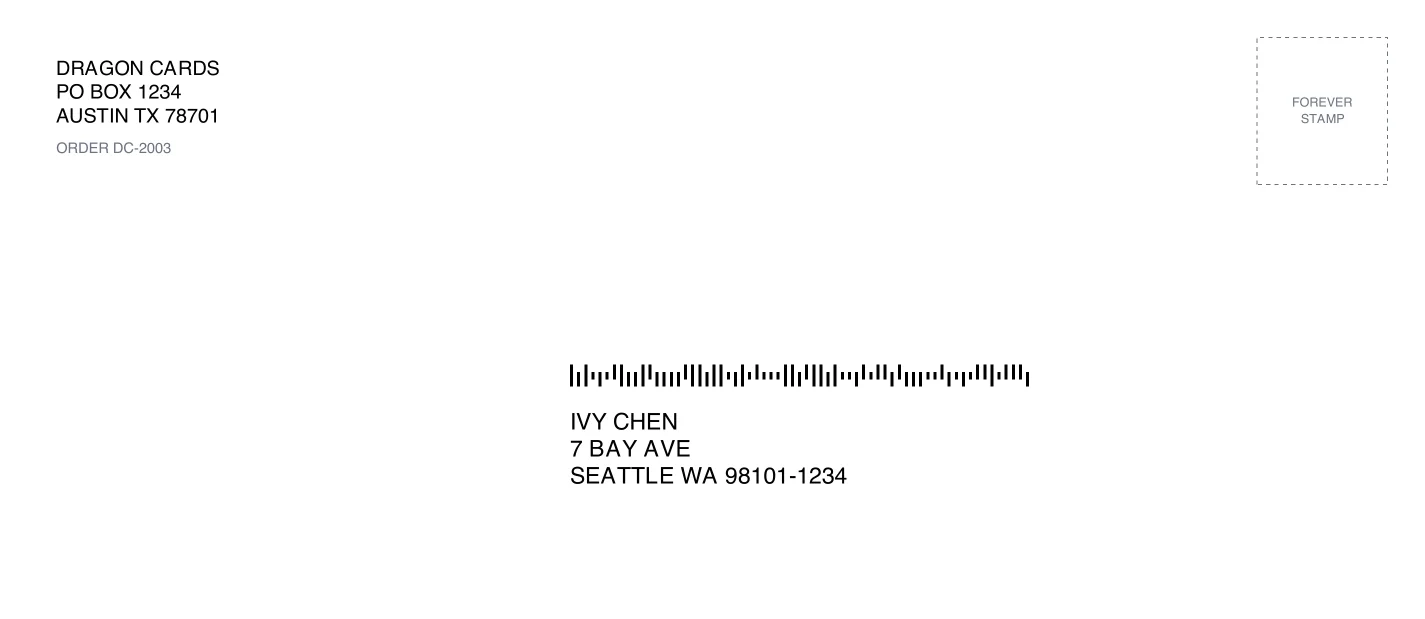
Pick the orders, choose what to print on and print from your own printer. PigeonTrail prints #10, #9, #6 3/4, A7 and 6 x 9 envelopes, Avery 5163 address sheets, 4 x 2 and 4 x 6 thermal labels, and a window slip that folds into a #10 window envelope. Each one carries the buyer's address and a USPS Intelligent Mail barcode in the places USPS's machines read them, with your return address and, if you like, your logo. You add a Forever stamp, which is $0.82 for a 1 ounce letter, and drop the letters in the mail.
The barcode only gets scanned when the letter goes through USPS's sorting machines, so keep it flat and flexible. Our letter checker tells you whether a mailer counts as a letter, whether it is machinable and how many stamps it needs.
What happens in BigCommerce after I print?
Each letter you print adds a shipment to its order in BigCommerce for the items still to ship, with the letter's PigeonTrail tracking page as its tracking link and no tracking number, because a stamped letter has no carrier tracking number to give. BigCommerce's own documentation says a custom tracking link shows in the control panel and in the emails your customers get, and that creating a shipment sends those emails, so your buyer hears from your store with the link unless you've turned shipment emails off in your order notification settings.
BigCommerce shares one limit on API calls among every app connected to your store, so in a large batch the last orders are marked shipped a few minutes after you print.
What does my buyer see?
Every letter gets a tracking page with your shop's logo and colors, a map of the route so far and the day USPS expects it to arrive, and that page is the link in BigCommerce's shipping email. When the order carries the buyer's email address, we also email your buyer at the first USPS scan. If you're on Pro, our emails come from your shop's name, and your buyer hears from you when the letter is mailed, when it's almost there and when USPS marks it delivered.
A letter's scans come from USPS's sorting plants, and its delivered event is USPS's estimate from the carrier's route rather than a scan at the mailbox. Our guide to what each USPS scan means explains what your buyer will see.
What if my BigCommerce store also feeds ShipStation?
Connect whichever one you like, or both, and each sale still prints one letter. When your ShipStation account holds just this one BigCommerce store, PigeonTrail matches the order number, so whichever connection brings an order in first keeps it and the other import skips it. With more than one BigCommerce store in ShipStation the order numbers repeat between stores, so connect either BigCommerce or ShipStation but not both.
Questions
Will the BigCommerce order show a tracking number?
No. A stamped letter has no carrier tracking number, so its shipment carries the PigeonTrail tracking link instead, and BigCommerce shows that link in your control panel and in the email it sends your buyer.
Why does PigeonTrail ask for Orders set to modify?
PigeonTrail reads your orders awaiting fulfillment and adds a shipment to each one after you print, and BigCommerce allows that second part only when Orders is set to modify. Information and settings at read only lets us show your store's name.
How do I take PigeonTrail's access away later?
Choose Disconnect on the Connections page and we forget the token. BigCommerce can't revoke a store level token any other way, so delete the PigeonTrail API account in your control panel to turn it off for good.
Does PigeonTrail need BigCommerce to work?
No. BigCommerce is one way in, and you can also connect Shopify, eBay, WooCommerce or ShipStation to PigeonTrail directly, or bring in an order file from TCGplayer, Amazon or Etsy.
Sources
- BigCommerce Dev Center, "API Accounts", on store level API accounts, the API path and revoking a token by deleting its account, read October 28, 2026: docs.bigcommerce.com
- BigCommerce Dev Center, "Create Order Shipment", on the custom tracking link that shows in the control panel and customer emails, read October 28, 2026: docs.bigcommerce.com
- BigCommerce Dev Center, "Orders Overview", on creating order shipments and the email notifications they send, read October 28, 2026: docs.bigcommerce.com
- BigCommerce Dev Center, "Rate Limits", on the quota every app on a store shares, read October 28, 2026: docs.bigcommerce.com
- USPS, Informed Visibility Mail Tracking and Reporting release notes, September 2026, on piece data going only to the Mailer ID owner and the companies it delegates to: postalpro.usps.com